- Code:
- 2Y9H2A
|
Availability: |
|
Description
Description
HP DesignJet T850 MFP Printer/Scanner - 4 Colour 36"/ 914mm A0
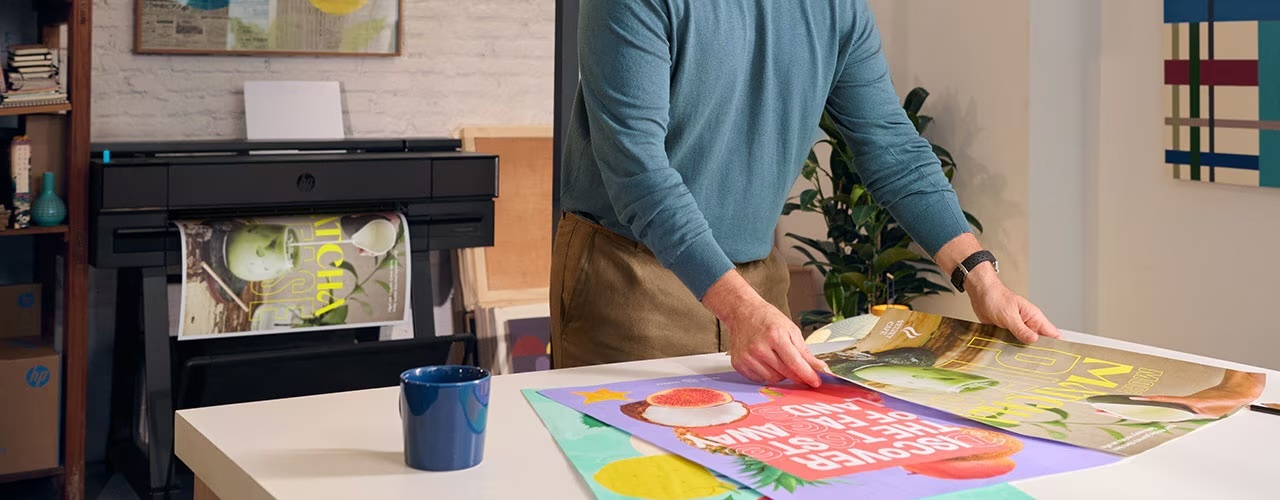
Immediately update all your partners on project review results with the most compact large-format MFP. Intuitive, convenient print/scan/copy and HP DesignJet print quality help you communicate effectively and move the project forwards.
The HP DesignJet T850 MFP is the ideal multifunctional scan, copy & print model for designers, offices and studios sharing and printing A3 to A0 with ease in long-lasting, smudge-resistant, vivid colour.
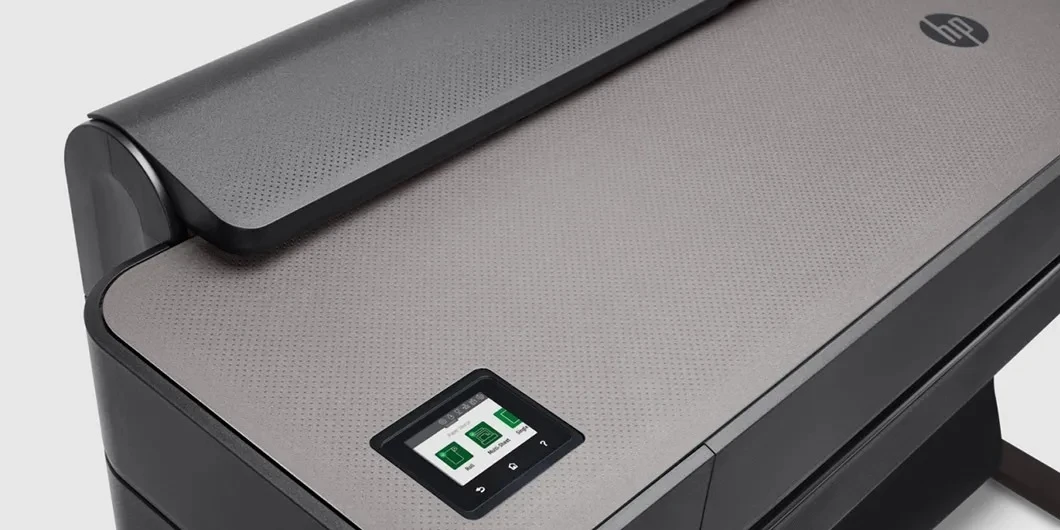
Featuring a front-loading CIS (contact image sensor) scanner, the T850 MFP scans to email, network, and USB. With the HP Smart app, users can also scan to the cloud, computer, and mobile.
The pigment-based, 4-colour HP Flex Tech ink system offers two cartridge sizes (130ml or 300ml) for cost-effective printing of CAD renders, technical drawings and posters. It gives you the control to achieve all your printing in-house.
To save time, and without user intervention, the T850 MFP can automatically switch between the paper sheet feed or paper roll feed.
With sustainability in mind, the robust yet compact HP T850 MFP is manufactured from 40% recycled plastic with recyclable cartridges.
![]() |
||
Architecture, Engineering & ConstructionBuilt for AEC professionals, HP DesignJet large-format plotters and printers handle everything from CAD files to full-color renders with speed and precision. Print complex, layered documents confidently using HP Click Print solutions² and the Adobe PDF Print Engine—ensuring every detail is captured accurately and efficiently.
|
Education and BusinessesFrom classrooms to special events, HP DesignJet large-format plotters and printers help educators, students, and businesses create vibrant, durable posters and visuals that boost learning and engagement. Easy-to-use HP Click Print solutions² support a wide range of file formats—so anyone can print with confidence, all while staying within tight budgets.
|
Retail and StoresFrom in-store signage to seasonal promotions, HP DesignJet large-format plotters and printers help retailers create vibrant, durable prints that capture attention and drive sales. With HP Click Print solutions,² staff can easily print from multiple file formats—JPEG, PDF, PNG, and more—saving time and keeping production costs low.
|
Communicate more effectively with print plus scan and copy capabilities to plot maps and CAD technical drawings.
![]() |
Responsibly designed printerChoose an HP large format printer with a sustainable design, helping to reduce waste – made with 40% recycled plastic [V] and and 65% energy saving [VI]
The first HP large format printer containing recycled metal [VII]
EPEAT gold climate+
Energy Star Certified
![]() ![]() |
|
This printer is intended to work only with cartridges that have a new or reused HP chip, and it uses dynamic security measures to block cartridges using a non-HP chip. Periodic firmware updates will maintain the effectiveness of these measures and block cartridges that previously worked. A reused HP chip enables the use of reused, remanufactured, and refilled cartridges. More at: http://www.hp.com/learn/ds. |
||
CONVENIENT—Fast, agile, intuitive print/scan/copyPrint documents fast – up to 26 seconds for A1 size prints.[1] Enjoy easy installation in the office, construction job site with the most compact large-format MFP.[2] Easily print project sets and PDF documents with HP Click printing software. Anyone can print smoothly from a smartphone or tablet with HP Mobile Printing. |
TRUSTED—HP DesignJet quality and reliabilitySGet HP DesignJet quality also in small-format sizes – print half-size documents with 50 sheet A4/A3 input tray. Smart scanning technology protects originals from damage when scanning and obtains precise colours. Reinforced design and strong legs for easy transport and use at the job site. Redesigned stand reduces C02e up to 197 tons/year by units sold. |
|
OPTIMISED—Fits the way you workUse built-in scanner to copy and distribute sketches and hand-annotated drawings to peers/partners right away. Easily link your computer, smartphone, or tablet to the printer with Wi-Fi Direct. Share drawings immediately – scan/email from front panel, use HP Smart app[5] to email contacts, post to cloud. No learning curve – with the intuitive design of a single touchscreen, you can scan, copy, and share instantly. |
Key Features
Print, copy, scan
Input Tray A4, A3; Manual feed A2 / A1
Dynamic security enabled printer
25 sec/page on A1, 90 A1 prints per hour
Up to 2400 x 1200 optimised dpi
Sheet feed, roll feed; automatic horizontal cutter
Two-year limited hardware warranty
Specification
|
Memory 2GB HP DesignJet T850 36-in MFP, printhead, ink cartridges, printer stand, spindle, quick reference guide, setup poster, startup software, power cord. Mobile printing capability Wi-Fi Direct and local Wi-Fi connectivity to enable mobile printing via HP ePrint, Apple AirPrint™ and HP Smart App. Supports printing from most smartphones and tablets using these operating systems: Android, iOS Gigabit Ethernet (1000Base-T), Hi-Speed USB 2.0, Wi-Fi 802.11a/b/g/n, Wi-Fi Direct HP Wolf Essential Security: Secure boot with HW root of trust Network Ready Standard 60kg 83.5kg 1407 x 701 x 967 mm 1575 x 570 x 650 mm Input voltage (auto ranging): 100-240 V (±10%), 50/60 Hz (±3 Hz), 1.2 A max 35 watts (printing), 3.5 watts (sleep), 0.2 watts (off) Software included HP Click App, HP Click Driver for Windows 11, HP Smart app, HP Support Assistant, HP Print Preview for Windows, HP DesignJet Utility for macOS and Windows Two-year limited warranty. Warranty and support options vary by product, country and local legal requirements. 4 (C, M, Y, mK) cartridges Dye-based (C, M, Y) |
|
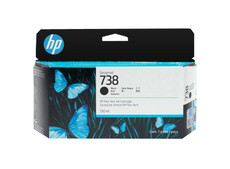
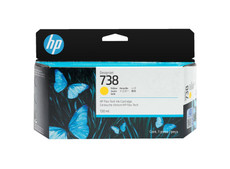
Print Cartridge/Bottle, Color(s) Cyan, magenta, yellow, black 6 pl (C, M, Y) HP 738 Ink Cartridge: Print Heads 1 (cyan, magenta, yellow, mblack) 20 ml of ink yields 101 A1 pages, taking into account maintenance routines https://support.hp.com/gb-en/product/setup-user-guides/hp-designjet-t830-multifunction-printer-series/model/17142335?sku=F9A28D Print, Copy, Scan Up to 2400 x 1200 optimised dpi None Print Speed 25 sec/page on A1, 90 A1 prints per hour HP Thermal Inkjet HP-GL/2, HP-RTL, CALS G4, JPEG, URF HP-GL/2, HP-RTL drivers for Windows
Model size 914 mm 5 x 5 x 5 x 5 mm Wi-Fi Direct to enable mobile printing via HP ePrint, Apple AirPrint and HP Smart app for Android and iOS devices, Windows and macOS printer drivers, printing support for Chrome OS, print from USB pen drive, HP Click Driver for Windows 11 |
|
Line accuracy ±0.1% 0.02 mm (HP-GL/2 addressable) Yes 8 L* min/2.10 D Average weekly print volume (D/A1)
90 A1/D prints per week Print speed footnote (metric) Mechanical printing time Media sizes supported Input Tray: 210 x 279 to 330 x 482 mm Bond and coated paper (bond, coated, heavyweight coated, recycled, plain, bright white), technical paper (natural tracing, vellum), film (clear, matte), photographic paper (satin, gloss, semigloss, premium, polypropylene), self-adhesive (adhesive, polypropylene) 60 to 280 g/m² (roll/manual feed) 914mm Supported Primary Applications Line drawings Q1396A HP Universal Bond Paper (FSC® certified)[5] (recyclable)[6] 610 mm x 45.7 m 279 to 610 mm Dye-based (C, M, Y) Sheet feed, roll feed, input tray, media bin, automatic horizontal cutter 100mm 1 4.1 kg
|
|
Media thickness Up to 11.8 mil Up to 0.3 mm Copies, maximum Up to 99 copies Copy resolution (color text and graphics) Up to 600 x 600 dpi Copier settings Content type Lighter/Darker Background noise removal Background colour removal Blue print invert Translucent media Colour Scan full width Auto De-skew Resize Copy Margins Quality Copy reduce / enlarge settings 50 to 400% Enhanced scanning resolution 600 dpi Scan resolution, optical Up to 600 dpi Scanner type Sheetfed, CIS (Contact Image Sensor), media jam detection sensor, front feed scanning method Scan input modes Scan to email, scan to cloud (through HP Smart app), network, USB, computer, mobile Scan size, maximum
914 mm x 2.77 m Bit depth 24-bit/8-bit Scan file format JPEG, PDF, TIFF Linear scan speed Up to 3.81 cm/sec (colour, 200 dpi) Up to 11.43 cm/sec (greyscale, 200 dpi) Scanner maximum media thickness 0.8 mm Scan size, minimum 203 x 127 mm Scan speed footnote Measured at 200 dpi in colour and greyscale
This printer is intended to work only with cartridges that have a new or reused HP chip, and it uses dynamic security measures to block cartridges using a non-HP chip. Periodic firmware updates will maintain the effectiveness of these measures and block cartridges that previously worked. A reused HP chip enables the use of reused, remanufactured, and refilled cartridges. |
Related Items
Finance Calculator
- * Fixed rates for the duration of agreement
- * Major tax benefits - each payment Is 100% tax deductible
- * The equipment can be earning your next payment from day one
- * No need to have bank loans, overdrafts or pay cash
- * Fast application turnaround
- * Spread the cost of your equipment purchase
- * Protect existing lines of credit and preserve cash flow for business growth
The Tax Benefits of Leasing explained
Leasing converts a large capital expenditure into small monthly payments. Hence the company has the profit-making equipment immediately and keeps their cash reserve available.
Rather than investing the precious cash reserves in depreciating assets, the company can use them to help increase profits.
Lease Rental is 100% Tax deductible
The main reason that the majority of companies lease rather than purchase equipment is that they use leasing as a method of reducing their tax bills. This is because lease rental is 100% tax deductible, and all payments made for the equipment are written off against the company’s tax bill. For any profit making business, this means a substantial saving in the real cost of acquiring equipment by lease rental. This could mean a saving of between 20-40% of the lease payments, depending on the rate of tax you pay.
Payments on qualifying leases are written off as direct operating expenses, rather than a debt or outstanding liability, thus reducing short term taxable income.
Any capital allowances are passed on to you, and lease payments can be offset against taxable profits. VAT can also be reclaimed on monthly payments. This status as a “lease” as opposed to a “liability” on a company’s balance sheet is something the banks like to see, which is why an operating lease can be attractive. For this reason, leasing is often referred to as ‘off balance sheet’ financing – a tremendous advantage to both large and small businesses.
Ownership at the end of the lease
Lease rental is just that, a rental or hire agreement. Title of the goods remains with the Lessor (either Kennet or assigned to a bank), which means the equipment does not show on the companies balance sheet, therefore not needing to be depreciated over a fixed period. If Kennet broker the funding, they are the “third party” involved within the lease agreements. In effect, Kennet buys the equipment from the supplier and then sell it on to the customer. This means that the customer can take full advantage of all the benefits of leasing but still owns it at the end. (Tax loop-hole)
The disadvantage of buying equipment outright
The disadvantage to buying equipment out-right, is that the capital invested becomes a depreciating asset. This is an asset that’s value decreases over time.
The total amount that assets have depreciated by during a reporting period is shown on the cashflow statement, and also makes up part of the expenses shown on the income statement. The amount that assets have depreciated to by the end date is shown on the balance sheet.
Downloads
Related items
Code
Description
Price
Quantity